
Creating a Store Insight Report
The Store Insight Report analyzes your entire store network to uncover which catchment factors correlate with better performance, then suggests new areas that match those winning conditions.
Prerequisites
- You’ve added your brand and multiple store locations in My Brands
- Each store has Avg. monthly sales filled in — this strengthens the correlation analysis and forecasts.
Step-by-step
Step 1 - Open the Store Insight wizard
From Dashboard or the top nav Store Insight Section
Step 2 - Select your brand
- Use the Brand dropdown to choose the brand you want to analyze.
- If you don’t see it, first create it.
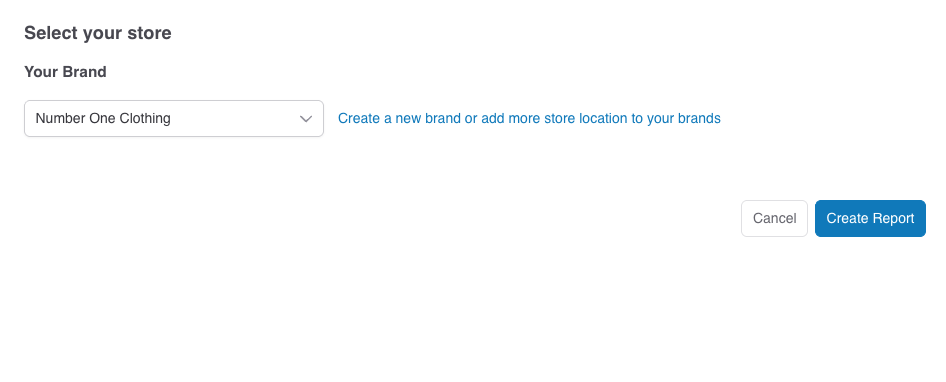
Click Create Report
The system takes a deep analysis on all existing stores and sales figures and generate a report. Processing can take a few minutes.
Troubleshooting & tips
- Accuracy → system uses machine learning methods to study and predict the sales, add more locations to strengthen correlations and accuracy.
- Want more insights about the suggestions and save for further use? → Click on the Detailed Analysis View, system will from this report into a Planning Report to give you more details about the suggestions. You can save the Planning Report for presentation and future use.